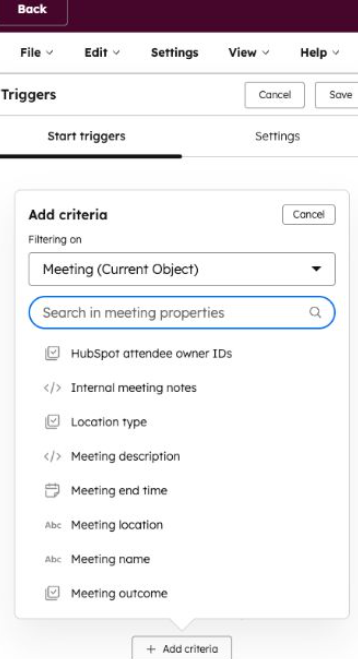
Meeting Properties are included in HubSpot’s Workflows Enrollment Trigger.
The feature is helpful as it would allow us to create different kinds of automations using the outcome of the meeting.
Some of the automation ideas that can be incorporated are;
(a) Create an automated deal in the pipeline once discovery call is completed
(b) Follow up notification for SDR team if the prospect failed to attend the meeting
(c) If the Meeting Outcome is still “Scheduled” and the meeting starts in 24 hours, send an internal task to the owner to “Review LinkedIn profile and latest notes.
(d) Automated Email Sequence for meeting No Show
These are some common examples; the use case of these features could be endless.
How to get access of these feature;
(i) Join the Product Beta
(ii) Now go to the enrollment trigger of the WF
(iii) Select the relevant meeting object and property to design the automation revolving the HubSpot meetings;
(iv) Design the appropriate action based on Use case;
Pro Tip : Connect your google meet / Zoom integration for seamless movement of meetings data across platform

Leave a Reply